Summary note: This post summarizes the Siray AI team’s “Black Friday Video Ads from One Product Photo with AI” (dev.to, tested November 19, 2026); it is not a reprint. The four prompts below are quoted verbatim from the author (published for readers to copy and use); all other content is a summary. Original link: https://dev.to/sirayb96080876b90914/black-friday-video-ads-from-one-product-photo-with-ai-1779
Note: At check time (around 09:05 on November 24), x.com returned HTTP 403 across the site, so related discussion posts could not be opened. Details, prices, and timings here follow the dev.to original and reflect the author’s test on Siray AI, not independently verified. Prices are from Siray AI’s pricing API on November 19 (including a 10% discount at the time); check the official page for live prices.
Black Friday video ads don’t need a video shoot. The Siray AI team tested ByteDance’s Seedance 2.5 image-to-video model: one product photo became three 5-second vertical ad clips in parallel, for Reels, TikTok, and Shorts. Each 720p clip cost $1.305 and took about three minutes; three ads plus one AI-generated product photo came to $3.95 in total.
The workflow at a glance: four steps
- Get one clean product photo in 9:16. Use a real packshot, or generate one as the author did with Seedream 5.5.
- Write one prompt per shot. Describe a single camera move and say what must not change.
- Submit all shots in parallel to
bytedance/seedance-2.5-i2vwith the same photo asimage. - Poll, download, and edit: add your offer text, music, and logo in a video editor, not in the prompt.
Step 1: the product photo
The author generated a fictional product to avoid any real brand: an amber glass perfume bottle with a gold cap in an open black gift box, with holiday lights behind it. The full generation prompt:
(the author’s original prompt, quoted verbatim)
Vertical product photograph for a holiday ad. A rectangular amber glass perfume bottle with a brushed gold cap stands upright inside an open matte black gift box lined with crumpled ivory tissue paper. The box lid leans against the back of the box, and a loose satin ribbon in deep burgundy drapes over the front edge. The box sits on a warm white marble counter. Soft key light from the upper left, a gentle rim light behind the bottle so the amber glass glows, shallow depth of field, out-of-focus warm string lights in the background as round bokeh. The bottle and box are fully in frame with clear space above the bottle. Clean commercial studio look, photorealistic. No people, no hands. The bottle and box have no label and no printing. No text, no letters, no numbers, no logos, no watermark.Generation used the bytedance/seedream-5.5-t2i-spicy endpoint at 1584×2816, taking 31 seconds and costing $0.035, with output at 1536×2730 — still 9:16. The author’s warning: leave room above and around the product, because every camera move in step 2 needs space to move into.
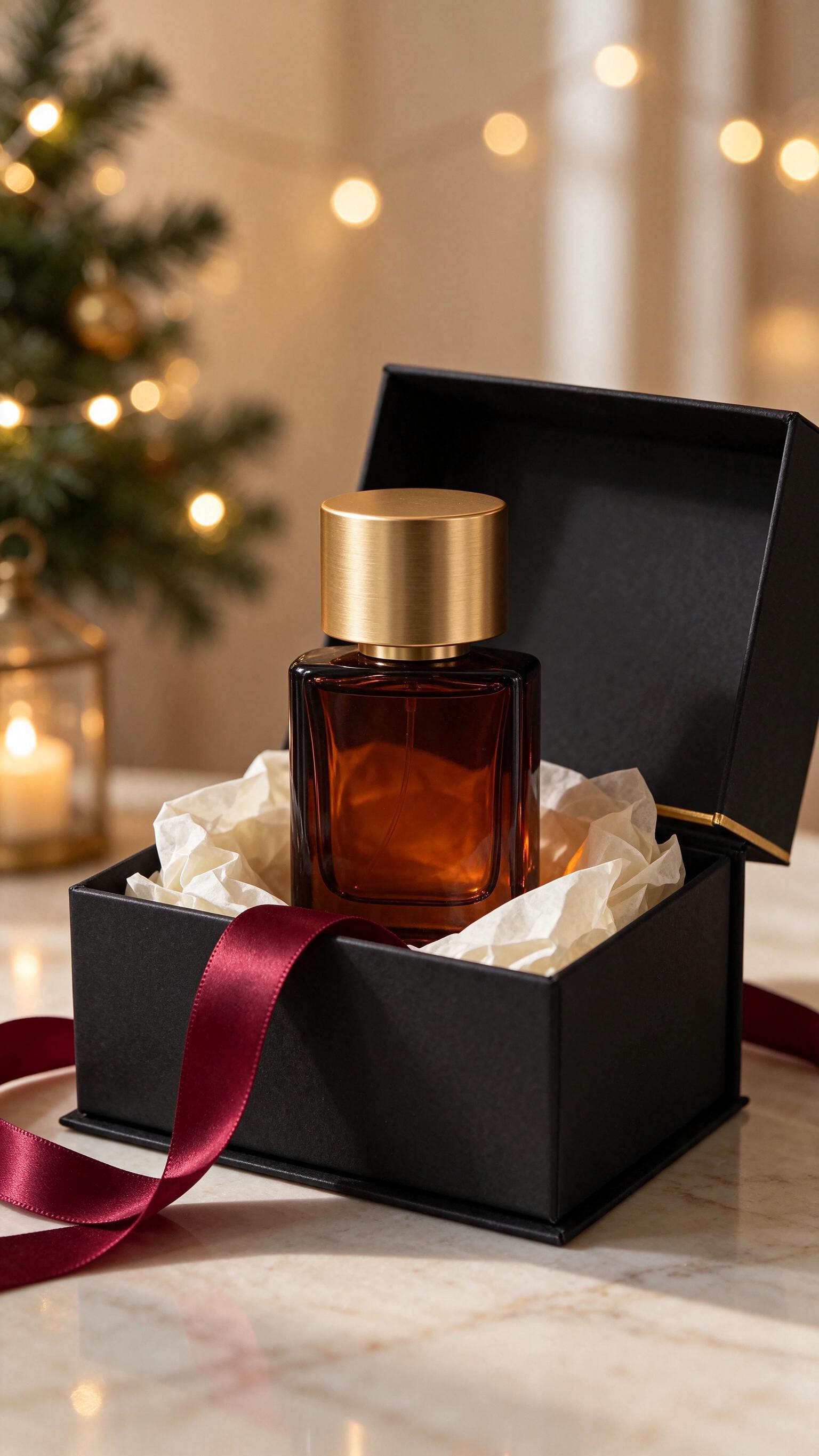 Image source: the original author
Step 2: three ad shots from the same photo
All three prompts ran on November 19, 2026 with the same request settings; times run from submit to finish and costs are Siray AI’s price for a 5-second 720p clip. The shared request body (aspect_ratio must be adaptive — see below):
{
  "model": "bytedance/seedance-2.5-i2v",
  "image": "<URL or data URL of the product photo>",
  "prompt": "<one of the prompts below>",
  "duration": 5,
  "size": "720p",
  "aspect_ratio": "adaptive",
  "audio_enable": false
}
Shot 1: slow push-in (the hero shot)
(the author’s original prompt, quoted verbatim)
Slow, smooth dolly push-in toward the amber glass perfume bottle in the open black gift box. The camera moves straight forward from a medium shot to a close-up of the bottle and its brushed gold cap. A soft highlight glides across the gold cap and the amber glass glows from the rim light behind it. The warm string lights in the background twinkle gently as out-of-focus bokeh. The bottle, the box, the tissue paper and the burgundy ribbon stay still and keep their exact shape. Premium commercial look, steady camera, no shake. No people, no text appears.Time: 181 seconds · Cost: $1.305 · Output: 720×1280, 24 fps, no audio track. The camera moved straight in from the full box to a close-up of the bottle, with no drift or shake. About halfway through, a small star-shaped glint flashed on the cap, and the glass grew brighter as the camera got closer. The bottle kept its shape and stayed free of text. This is the shot to put first in a Black Friday ad.
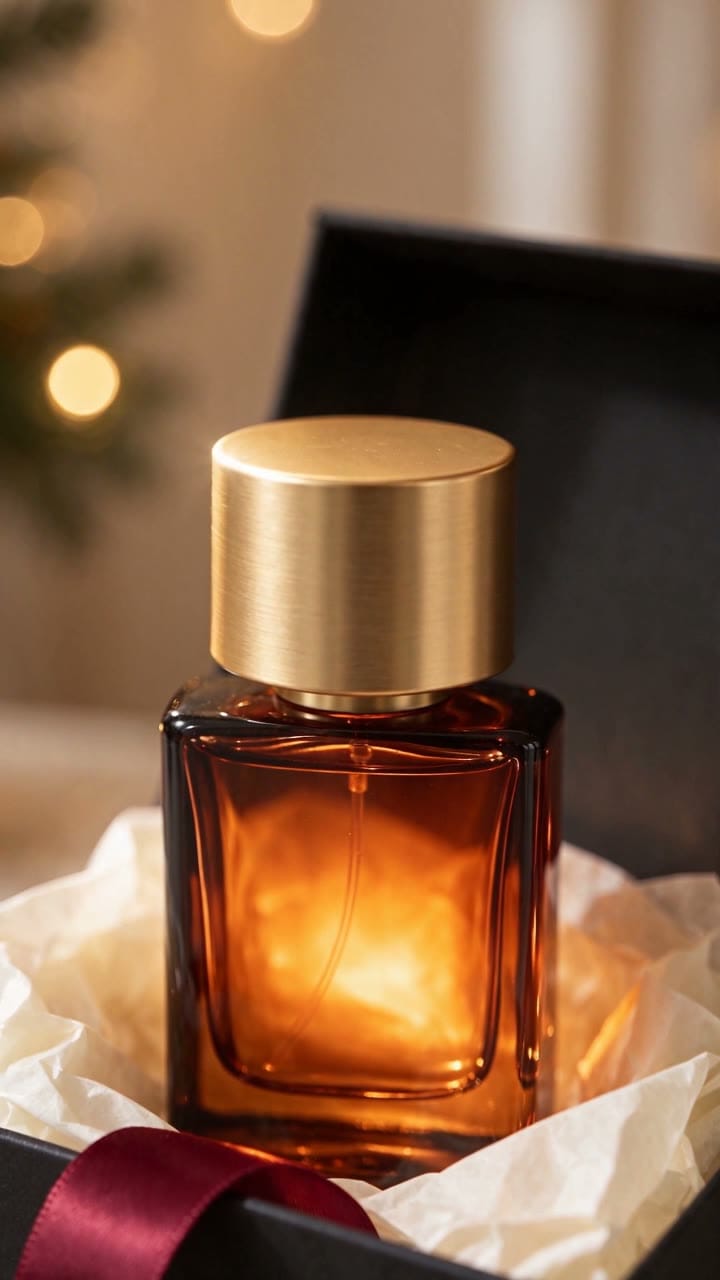 Image source: the original author
Shot 2: camera orbit (show the product from more than one side)
(the author’s original prompt, quoted verbatim)
The camera orbits slowly around the open black gift box from left to right, about 60 degrees, staying at the height of the perfume bottle and always keeping the bottle centered. As the angle changes, the rim light moves across the amber glass and the reflection on the brushed gold cap shifts. The marble counter and the out-of-focus holiday lights slide past in parallax. The bottle, the box, the tissue paper and the burgundy ribbon do not move and keep their exact shape. Smooth gimbal move, premium product commercial. No people, no text appears.Time: 181 seconds · Cost: $1.305. The move was smaller than asked for: instead of 60 degrees, the camera made a short arc to the right, closer to 15–20 degrees. The parallax still sells it — the tree, ornaments, and lanterns behind the box come into view while the bottle stays centered. To get a wider turn, ask for a full side-on view as the end point, or use the first-and-last-frame option with a second photo.
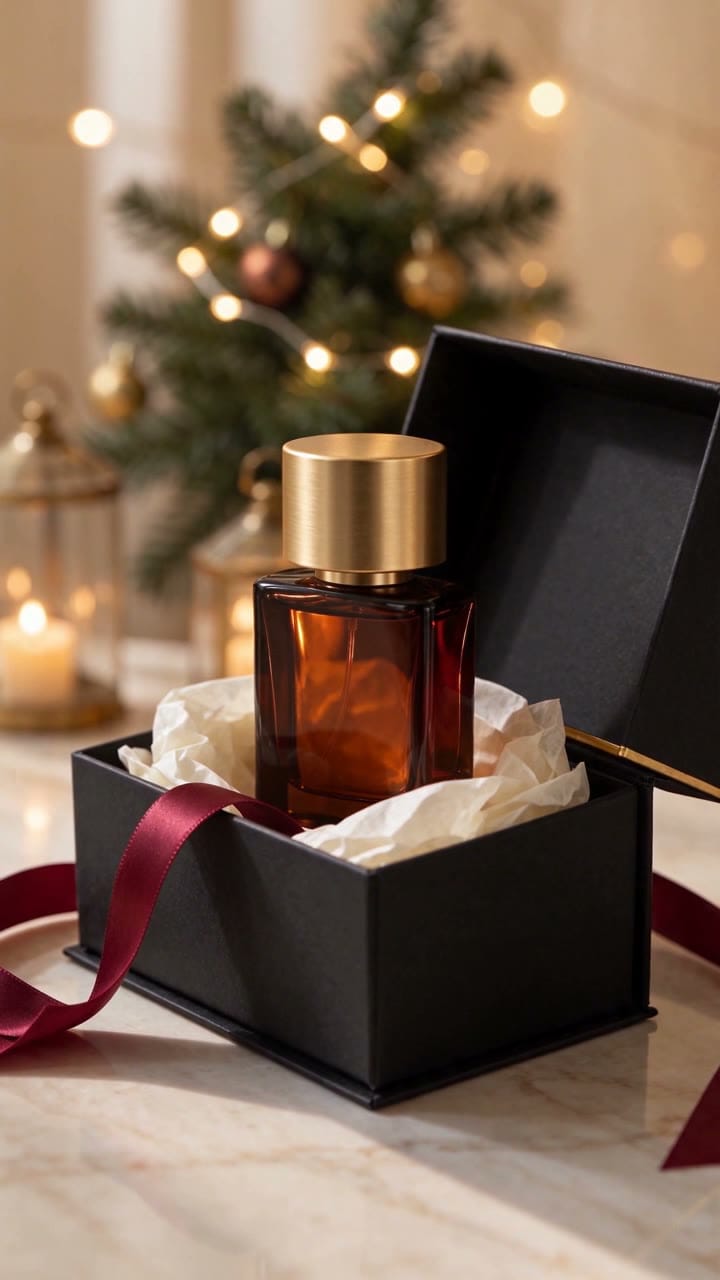 Image source: the original author
Shot 3: hands-on unboxing
(the author’s original prompt, quoted verbatim)
Unboxing shot. A pair of adult woman's hands, about 30 years old, with a neat nude manicure, enter from the bottom of the frame. They gently lift the amber glass perfume bottle out of the ivory tissue paper, raise it slightly toward the camera, and slowly turn it a quarter turn so the gold cap catches the light. The tissue paper rustles softly as the bottle leaves the box. The camera stays locked off at the same framing. Only the hands are visible, no face. Realistic hand anatomy with five fingers on each hand. The bottle keeps its exact shape and has no label. Warm holiday bokeh in the background. Premium commercial look. No children, teenagers, babies or minors. No text appears.Time: 177 seconds · Cost: $1.305. This was the shot the author expected to break, and it held up. Both hands came in from the bottom, with five fingers each in the frames checked. They lifted the bottle out of the tissue and tilted it toward the camera. The bottle kept its square shape and gold cap. The “quarter turn” became more of a tilt. Saying “only the hands are visible, no face” kept the frame on the product.
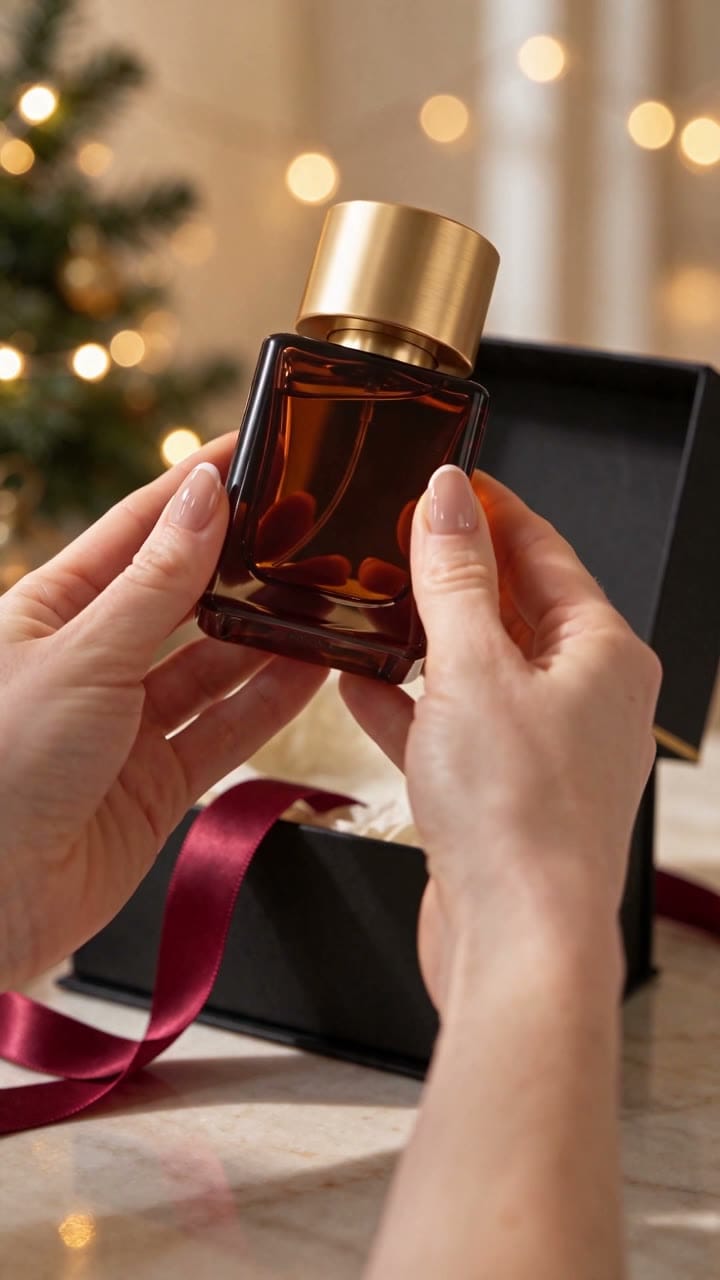 Image source: the original author
What it costs: Seedance 2.5 image-to-video pricing
Seedance 2.5 i2v is billed by output size and length. Prices from the Siray AI pricing API on November 19, 2026, with a 10% discount at time of writing (list price crossed out):
| Duration | 480p | 720p | 1080p |
|---|---|---|---|
| 5 seconds | $0.603 (was $0.67) | $1.305 (was $1.45) | $3.199 (was $3.554) |
| 10 seconds | $1.206 (was $1.34) | $2.61 (was $2.90) | $6.397 (was $7.108) |
| 15 seconds | $1.809 (was $2.01) | $3.915 (was $4.35) | $9.596 (was $10.662) |
| Per second | ≈ $0.12 | ≈ $0.261 | ≈ $0.64 |
Siray AI’s pricing note gives the formula: tokens = height × width × (input duration + output duration) × 24 / 1024, at $0.012038 per 1K tokens. For the 720×1280, 5-second clip that is 108,000 tokens, or about $1.30. Worked examples from the author:
- This test set (one photo and three 5-second 720p ads): $0.035 + 3 × $1.305 = $3.95.
- Drafting at 480p first: three 5-second drafts cost $1.81. Re-run only the ones you like at 720p or 1080p.
- Ten products, three shots each, at 720p: 30 × $1.305 = $39.15, before any retakes.
Quickstart: submit and poll
Generation is asynchronous. Submit a task, then poll every 3–5 seconds until the status is SUCCESS.
1. Submit:
curl -X POST https://api.siray.ai/v1/video/generations \
  -H "Authorization: Bearer $SIRAY_API_KEY" \
  -H "Content-Type: application/json" \
  -d '{
    "model": "bytedance/seedance-2.5-i2v",
    "image": "https://your-cdn.example.com/perfume-gift-box.jpg",
    "prompt": "Slow, smooth dolly push-in toward the amber glass perfume bottle...",
    "duration": 5,
    "size": "720p",
    "aspect_ratio": "adaptive",
    "audio_enable": false
  }'
image accepts a public URL or a data URL. The author sent a 240 KB JPEG as a base64 data URL.
2. Poll:
curl https://api.siray.ai/v1/video/generations/<task_id> \
  -H "Authorization: Bearer $SIRAY_API_KEY"
When data.status is SUCCESS, data.outputs holds the MP4 URL. Read the task_id from both the top level and data of the submit response; the author’s earlier Siray AI tests found it at the top level. To make three shots, send three requests with the same image and different prompts. They run in parallel.
Six prompting tips for product video ads
- Use
adaptiveand shape the photo, not the request. The API reference lists9:16as a validaspect_ratio, but all three of the author’s first requests with9:16failed withTaskTypeConstraint: “For first-frame or first-last-frame generation, the output ratio follows the first-frame image.” Those tasks ended asFAILUREwithout producing a video, and resubmitting withadaptiveworked on the first try. - One camera move per clip. “Push-in”, “orbit”, and “locked-off” each gave a clean, readable motion. Leave multi-shot editing to your editor.
- List what must not move. “The bottle, the box, the tissue paper and the burgundy ribbon stay still and keep their exact shape” kept the product geometry stable in all three clips.
- Ask for a bigger move than you need. The “60 degrees” orbit came out as roughly 15–20 degrees. For a wide turn, add an
end_imagewith the product from the side. - Keep offer text out of the prompt. Put “Black Friday −30%” or a price in your editor, so you can change it without paying for a new clip. Model-written text often comes out garbled.
- For hands, describe them precisely. Adult hands, a manicure, “five fingers on each hand”, and “only the hands are visible” gave natural results.
When to use this workflow (and when not to)
Good fit: Turning an existing packshot catalog into short social ads before a sale; testing several ad openings (hero, orbit, unboxing) on the same product before paying for a shoot; gift products with clear shapes — bottles, boxes, gadgets, jewelry.
Not the best fit: Ads with on-screen prices or legal copy — add those in post; products with fine printed labels — i2v can blur or rewrite small text as it moves, so shoot the label as a still frame instead; and if cheapness is the priority, Kling 4.0 image-to-video costs $0.785 for 5 seconds at 720p on Siray AI, and Kling 4.0 Flash costs $0.47, while Seedance 2.5 at 480p is $0.603.
The takeaway: the barrier to product video ads has dropped from “hire a shoot crew” to “one photo, three prompts, and four dollars.” What costs money now is knowing exactly what each shot should be.
Written by